


mLite - GPS Location Tracker
3.9799.00 Reviews
App Specs
- Version
- 4.3.7
- Updated On
- License
- Free
- Downloads
- 10,000,000+
- Developer
- IPL GROUP PTY LTD
- Categories
- Lifestyle
- Platform
- Android
Screenshots
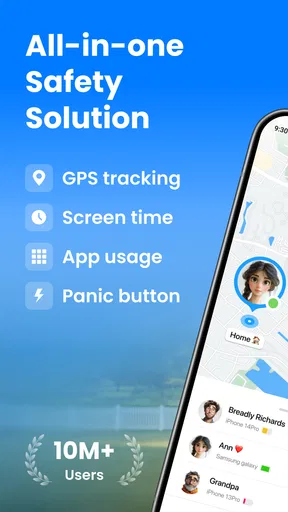
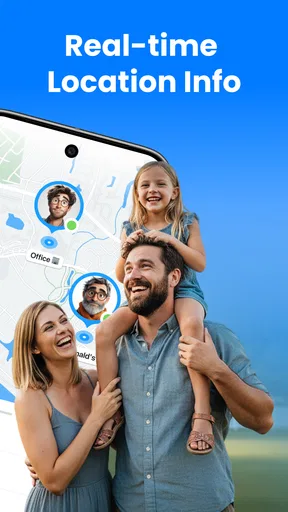
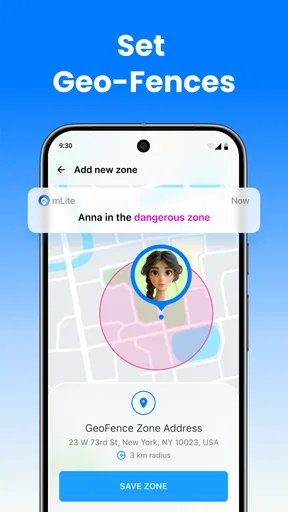
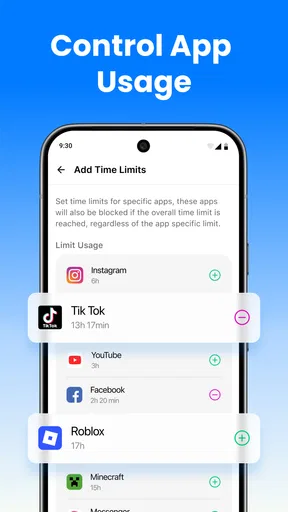
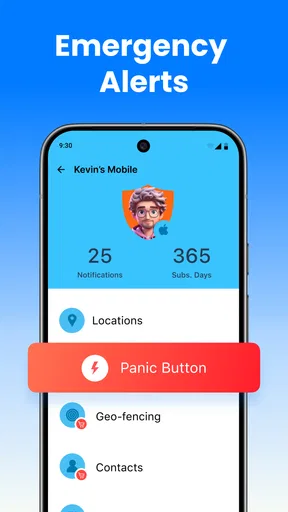
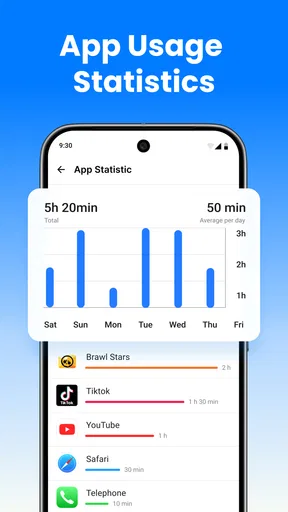
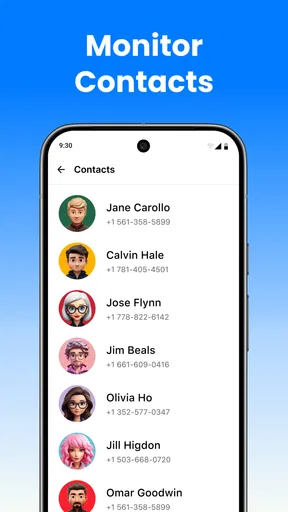
 Analysis by AppCompare
I would start by asking what problem I actually need a family location app to solve. If the goal is to check that a child arrived at school or to coordinate a pickup without a string of calls, mLite - GPS Location Tracker is built around that kind of reassurance. If you mainly want screen-time limits, app blocking, or a broad set of device-management controls, a dedicated parental-control suite may suit you better. Location sharing is useful, but it is not the same thing as supervising every part of a child’s phone use.
That distinction matters because location tools work best when the family agrees on how and why they are being used. I’d explain the purpose before setting anything up, decide which moments justify checking the map, and avoid treating a location dot as a substitute for a conversation. Used that way, mLite can support practical routines without turning every outing into a test of trust.
Choose it for a shared routine, not constant surveillance
For a parent comparing options, the important question is whether the family needs a simple way to coordinate around places and arrivals. A map and area alerts can be more convenient than repeatedly asking “Where are you?” They are less useful if the real concern is whether a child is spending too long on a particular app or needs web filtering; those needs call for a different kind of tool.
I’d also make sure the people being located understand what sharing means in day-to-day life. A teenager may be comfortable sharing a trip to and from school but not want their location checked throughout the day. Agreeing on reasonable expectations in advance can prevent a safety feature from becoming a source of arguments. The app’s value depends partly on that family agreement, not just on its map.
A practical way to use locations and alerts
A useful setup is to choose only the places that matter to your routine, such as home and school, rather than making a long list of zones. That keeps an alert meaningful: when a notification arrives, you know which routine it relates to. Before relying on one for a time-sensitive pickup, I’d test the setup during an ordinary day and confirm that everyone understands what the alert does and does not tell them.
For example, imagine a child leaves school for an after-school activity while a parent is finishing work. A location check can help the parent see whether the child appears to be on the expected trip, while an area alert may offer a simple arrival cue. If the map seems out of date or the phone is low on battery, a direct message or call is still the sensible backup. Location information can reduce guesswork, but it cannot explain why someone has stopped or changed plans.
That is one reason the battery-status detail can be more useful than it first sounds. If a phone is close to running out of charge, a missing update may be a device problem rather than a sign that something is wrong. I’d use that information as context, not as a guarantee that tracking will remain available. A family should still have a basic plan for checking in when a phone cannot share its location.
Worth Reading Before You Choose

EA SPORTS FC Mobile 26 Is a Bigger Football Game, but It Takes Time

Flipboard Shows What News Apps Must Do Beyond the Feed

Switching to Android Auto Means Rethinking Your Driving Routine

Google Calendar Makes a Crowded Week Easier to Manage

Ludo King Makes the Most of the Minutes Between Plans

Baby Panda World Brings Quick Play to Modern Phones, but Its Game Library Feels Busy
How it differs from familiar alternatives
Compared with ordinary phone-to-phone location sharing, mLite is presented specifically for family monitoring, with location history and zone notifications alongside the map. That can make it a better fit for parents who want a single place to check routine arrivals. A built-in sharing feature may be enough for relatives who only need to share a location occasionally, especially if they do not want to set up a separate family network.
Compared with fuller parental-control apps, the trade-off runs the other way. A service focused on location is easier to understand when all you need is whereabouts and basic coordination, but it should not be mistaken for a complete set of controls over a child’s online activity. I would compare alternatives by the specific job they do, rather than by the number of features in a list. Extra controls only help if your family needs them and is comfortable using them.
It is also worth thinking about who will manage the setup. If one parent handles the family network, discuss what happens when that person is unavailable or when a child changes devices. Keeping the arrangement clear helps avoid a situation where the app is installed but nobody knows who should check it, how to respond to an alert, or when to use another way of getting in touch.
mLite is a free lifestyle app from IPL GROUP PTY LTD, with optional in-app purchases ranging from $0.99 to $199.99 per item. I would review any purchase screen carefully before confirming anything and decide in advance whether the free experience meets your needs. It is rated for Everyone, and its current version is 3.14.0; on Android, it requires version 8.0 or later. The app has a 3.3 average from around 12,000 ratings, with about 735 written reviews, and has passed 10 million installs. Those figures show that it has reached a sizable audience, but they do not tell me whether its location updates will match a particular family’s expectations.
Have you ever found yourself in a situation where keeping tabs on your loved ones’ whereabouts was a top priority? Maybe your kids are out with friends, and you want to make sure they’re safe. That’s where mLite - GPS Location Tracker steps in. I’ve been using it for a while now, and let me tell you, it’s like having a superpower right in your pocket. Let's dive into what makes this app a must-have for anyone who values peace of mind.
The Heart of mLite: GPS Tracking
At its core, mLite - GPS Location Tracker is all about providing real-time location updates. Once you’ve got it installed, you can easily add family members to your network. Trust me, it’s super straightforward—even for those of us who aren’t exactly tech-savvy. The app uses GPS to pinpoint where your loved ones are, and you can view this on a map that updates as they move. It’s like having a bird’s eye view without being intrusive.
One of the coolest features is the geofencing option. You can set up specific zones, like your home or school, and get alerts when someone enters or leaves these areas. It’s like setting up invisible boundaries and getting notified when they’re crossed. Handy, right?
Privacy and Security
Now, I know what you’re thinking: "What about privacy?" The developers of mLite have clearly put a lot of thought into this. The app requires consent from all parties involved before location sharing can occur. This means everyone’s on board, and no one’s tracking anyone without their knowledge. Plus, your data is encrypted, adding an extra layer of security.
Moreover, the app doesn’t overwhelm you with unnecessary notifications or data. It keeps things simple and straightforward. For me, that’s a huge plus because who needs more clutter in their lives?
Additional Features Worth Mentioning
Aside from the stellar GPS tracking, mLite offers a bunch of other cool features. You can check the battery status of your family members' devices. So, if your kid’s phone is about to die, you’ll know in advance and can remind them to charge it. It’s these small touches that really make a difference.
The app also supports location history. You can see where someone has been over a period of time. This can be incredibly useful if you’re trying to piece together a timeline of events or just want to ensure that your loved ones made it to their destination safely.
User Experience and Interface
Let’s talk about the user interface. It’s crisp, clean, and intuitive. Even if you’re not a tech wizard, you’ll find it easy to navigate. Everything is laid out logically, and you’re never more than a couple of taps away from the information you need. The design feels modern but not overly flashy, which I think is perfect for an app like this.
Installation is a breeze, and setting up your family network takes just a few minutes. The app runs smoothly without draining your battery, which is always a concern with location services.
Still, I would treat the map as a helpful signal rather than a perfect account of someone’s movements. A phone’s position can be less useful in a building, during a weak connection, or when the device is switched off or out of power. If an update looks odd, I would check in directly before drawing conclusions. That habit is especially important with children, because a location marker cannot tell you whether they are safe, why they are somewhere, or whether plans have changed.
For the same reason, location history is best used sparingly and with a clear purpose. It may help clarify whether someone reached a destination, but routinely reviewing someone’s past movements can feel intrusive even inside a family. I’d agree on when history is useful—such as resolving a missed pickup—and avoid turning it into a daily audit. The feature is most valuable when it supports a specific question, not when it becomes a reason to monitor every trip.
Families should also decide what to do with notifications before relying on them. An arrival alert can be reassuring, but repeated checks may create noise if several people have different schedules. Limiting zones to places that affect real coordination makes each alert easier to interpret. If two caregivers share responsibility, it helps to agree who will respond rather than assuming that everyone has seen the same notification.
Privacy should be part of the setup
Location sharing works only when people understand the arrangement and consent to it. I would set up the app together where possible, explain who can see the location, and revisit the agreement as children get older. A parent may have a sound safety reason for checking a younger child’s route, while an older teen may reasonably expect more independence. A family tool should make coordination easier, not quietly replace trust.
Before inviting anyone, I’d also look at the app’s current settings and the wording shown during setup, then make sure each person knows how to use the sharing arrangement. Privacy and safety expectations can vary between households, so it is better to establish them explicitly than to assume that installing a tracker settles the question. If a family member is uncomfortable with ongoing location sharing, an occasional check-in or a temporary location share may be a better fit.
The app is not the right choice for someone who wants covert tracking. Its stated consent-based approach points toward transparent sharing, and that is the only responsible way I’d recommend using a family location tool. Nor would I choose it as an emergency-response service: a map can be delayed, a phone can lose power, and an alert can be missed. Families who need a formal safety plan should keep direct contact methods and agreed backup steps in place.
Setup, expectations, and the cost of switching
Moving from a built-in location-sharing option to a separate family app has a small but real setup cost: everyone needs to understand the new arrangement, join the network, and build the habit of checking one place. Before switching, I’d ask whether the current method already handles the family’s actual needs. If it reliably answers “Did you get there?” then a new app may add little. If parents want a more focused view with location history and zone alerts, trying mLite may make sense.
It is sensible to test it alongside your existing routine before depending on it. Pick an ordinary journey, confirm that each family member can see the information they expect, and agree how to handle a missing update. Once the new routine proves useful, you can decide whether to stop using the previous method. This avoids a rushed change on a day when a pickup or activity schedule is already complicated.
Because mLite is free to install but offers in-app purchases, I’d separate the decision to try the app from the decision to buy anything. First work out whether its basic location workflow is useful for your household; then read the purchase details shown in the app and consider whether any paid option solves a real need. The listed purchase range is wide, so I would not assume that every family needs to spend money or that a purchase is necessary for basic reassurance.
Final Thoughts
In a world where staying connected and ensuring the safety of our loved ones is more important than ever, mLite - GPS Location Tracker offers a reliable and user-friendly solution. With its real-time tracking, geofencing, and thoughtful privacy measures, it’s definitely worth checking out if you’re looking for peace of mind.
So, why wait? Give it a try and see how it can make your life just a little bit easier. After all, who doesn’t want a little extra reassurance that their family is safe and sound?
Who I would recommend it to
I’d consider mLite for a household that has agreed on location sharing and wants a straightforward way to coordinate school journeys, after-school plans, or pickups between caregivers. It is particularly relevant when a parent needs a quick location check rather than a full report on a child’s phone activity. The app’s focus is clearest when everyone sees it as a practical shared tool, not a test of whether someone is following rules.
I would look elsewhere if the main need is managing screen time, filtering websites, or setting detailed restrictions on apps. I’d also skip a family tracker if the people expected to share locations do not consent, or if the family is likely to interpret every unexpected stop as a problem. In those situations, a basic check-in routine or a more specialized parental-control option may be a better match.
My recommendation is to try mLite only after agreeing on the purpose, the people included, and the backup plan for a phone that cannot report its location. Its map, place alerts, battery context, and history can make ordinary coordination easier, but they are not a substitute for communication. For families who want that specific kind of support, it is worth considering; for everyone else, a simpler sharing method may be enough.
Pros
- User-friendly interface is easy to navigate.
- Real-time location tracking is highly accurate.
- Low battery consumption during use.
- Includes SOS feature for emergencies.
- Multiple device support with one account.
Cons
- Limited features in the free version.
- Requires constant internet connection.
- Privacy concerns with location data.
- Occasional delays in location updates.
- Some features need manual setup.
FAQs for mLite - GPS Location Tracker
How does mLite ensure the privacy of its users?
mLite takes user privacy seriously by implementing robust security measures. The app uses end-to-end encryption to ensure that location data is only accessible to authorized users. Additionally, users have control over who can view their location, and there are comprehensive privacy settings to manage data sharing preferences.
Can mLite track a device without the user's knowledge?
No, mLite requires consent from the user whose device is being tracked. The app must be installed on the target device, and permissions must be granted for location tracking. This ensures transparency and compliance with privacy laws, preventing unauthorized tracking.
What features does mLite offer apart from GPS tracking?
Besides GPS tracking, mLite provides various features such as geofencing, which alerts users when a device enters or exits a designated area. It also offers location history, panic button alerts, and the ability to check battery status of the tracked device, enhancing safety and communication.
Is mLite compatible with both Android and iOS devices?
Yes, mLite is available for both Android and iOS platforms. The app is designed to work seamlessly across devices, allowing users to track and manage locations irrespective of the operating system. This cross-platform compatibility ensures a wider reach and usability for different users.
What is the cost structure for using mLite?
mLite offers a free version with basic tracking features. For advanced functionalities, users can opt for a premium subscription, which includes enhanced features like geofencing and detailed location history. The app provides flexible pricing plans to cater to different user needs and budgets.


